
mira’s profile can be changed per server, so it can look however you want without affecting anyone else’s. Avatar, banner, bio, display name, and the emojis and colours used in responses are all yours to set.

Use the dashboard

Avatars and banners are far easier to handle on the dashboard, where you can upload an image, crop it, and rotate it before saving instead of hunting for a link that fits.

Open the dashboard

Upload, crop, and rotate images without touching a command.
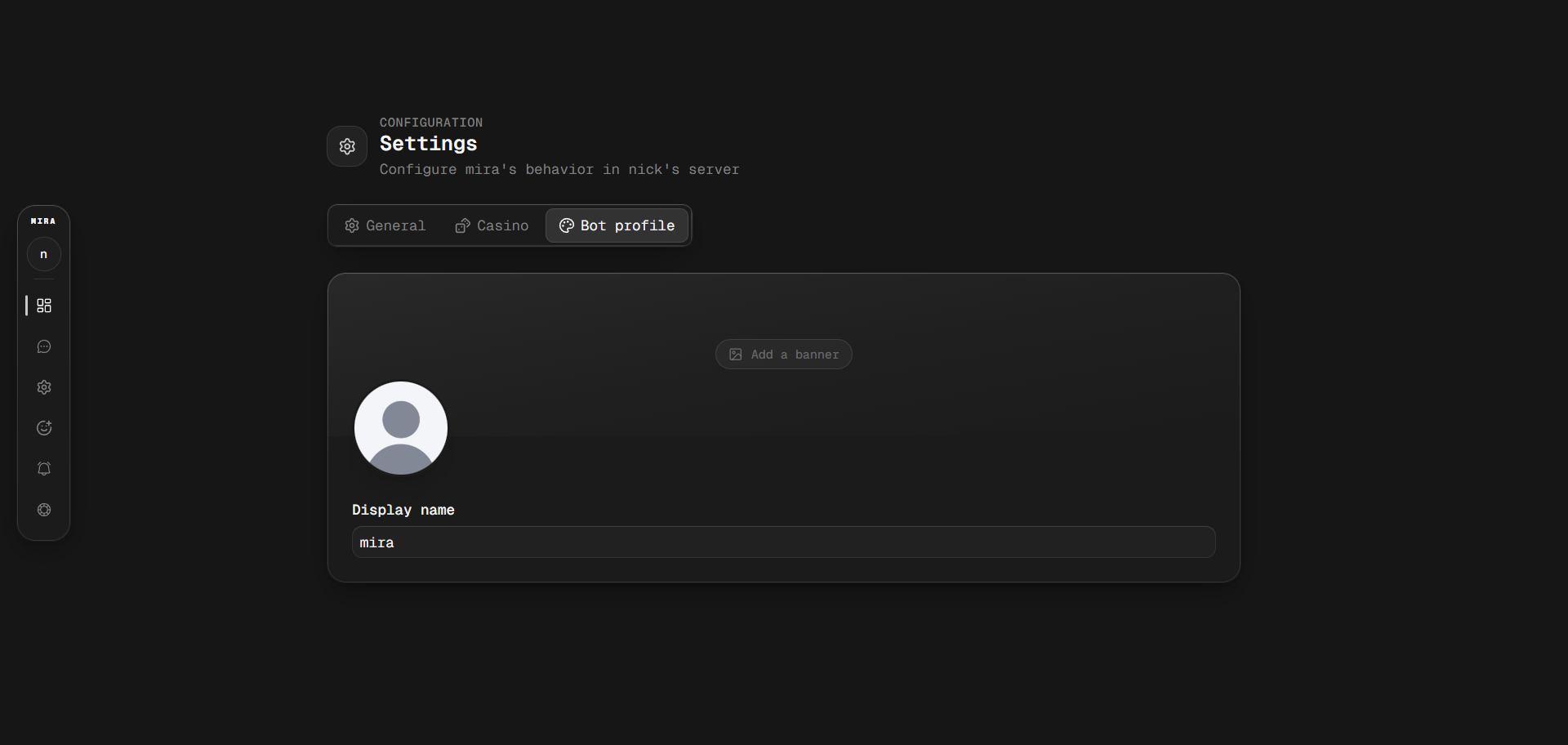
The customization page on the mira dashboard

Customizing mira's profile from the dashboard

Some things aren’t on the dashboard yet. The bio, the display name font, colour, and effect, and the response emojis and colours are commands only.

Avatar and banner

Syntax
You don’t have to paste a link. mira looks for an image in a few places, in this order:
  • An image attached to the message you’re sending
  • An image in a message you’re replying to
  • The most recent image posted in the channel
So a bare customize avatar right after someone posts the image you want will pick it up. Links work too, as long as Discord accepts the format.
Remove them
Discord rate limits profile changes hard. If the avatar or display name doesn’t update straight away, nothing has gone wrong. The request is queued and applied as soon as Discord allows it.

Display name

Syntax
Example

Fonts

GG Sans (Default), Tempo, Sakura, Jellybean, Modern, Medieval, 8Bit, and Vampyre

Effects

Solid (Default), Gradient, Neon, Toon, and Pop.
Inside a server, Discord only renders the font. The effect won’t show in the member list or in chat, and mira’s role colour is used instead. Open mira’s profile to see the full style. This is Discord’s behaviour, not something mira can change.
Reset it

Bio

Syntax
Not available on the dashboard. Discord’s own length limits apply to both the bio and the display name, so mira will tell you if what you’ve written is too long.

Responses

Every reply mira sends falls into one of four types, and each can have its own emoji and colour.
Syntax
Examples
Run a type on its own with nothing after it to clear both its emoji and its colour.
Reset every type at once

Mentions

mira doesn’t ping you when it replies. Turn it on if you’d rather be mentioned.
Syntax
Example
See booleans for accepted values.

Starting over

Resets the whole profile back to default. mira asks you to confirm first, since this clears the avatar, banner, bio, display name, and response styling in one go.

Commands

Last modified on August 4, 2026