What is Last.fm?
Last.fm is a website which tracks the music you listen to and provides statistics based on your listening history. You can register for a Last.fm account by clicking here.Creating a Last.fm account
Registration
Visit the Last.fm registration page and fill
in the required information.
Verification
Verify your email address by clicking the link sent to your
inbox.

Connecting your Last.fm account
Use thelastfm login command, and follow the instructions sent in your direct messages.
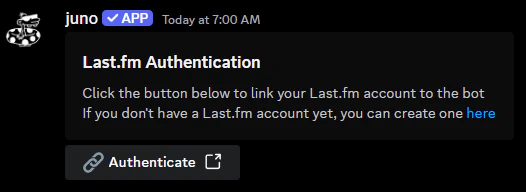
Your library will be automatically refreshed every 24 hours. You can
also manually refresh your library early with the
lastfm refresh command.Preferences
Setting a custom command
You can use a custom command to invoke thenowplaying command.
ethanfm in a channel, juno will respond with your currently playing track via the nowplaying command.
Changing the voting reactions
You can change the default👍 and 👎 reactions used for the nowplaying command.
Customizing the nowplaying embed
You can customize the embed that appears for thenowplaying command.
Premade Styles
Default
Default
A detailed embed with all information.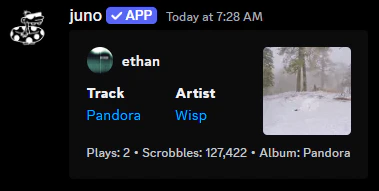
Compact
Compact
A simplified embed with a smaller field size & no album.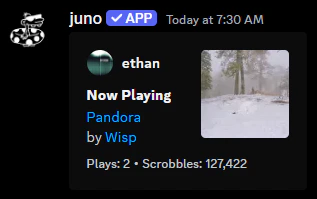
Minimal
Minimal
A minimal embed with only the track and artist without any additional statistics.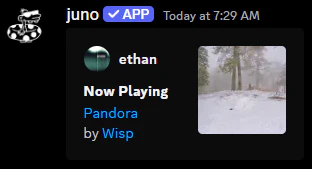
Known Issues
Out of Sync
Last.fm and Spotify struggle to stay in sync, causing outdated information to be displayed.- Restart your Spotify application to force a refresh.
- Disconnect and reconnect your Spotify account in the Last.fm connections.
Last.fm Failure
If you see an unexpected error message, it’s possible that Last.fm is currently down.- Check the Last.fm status page for more information.
- If the issue persists, please join our support server for further assistance.